
Searching Cases by Name
Minnesota Court Records Online is the statewide starting point for a McLeod County case search. It is known as MCRO. The Person search asks for a last name and a first name. A middle name is optional. A name match only points to a possible record. MCRO's own terms warn that a matching name does not prove the person is a party in the case. Compare location, category, and the public case details before trusting any single result from the docket search.
- Open MCRO, accept the public-access terms, and choose Name, then Person, when looking for an individual.
- Enter the required last and first names. Add a middle name only when it will help distinguish a common name.
- Choose County under Court Locations and select McLeod. Narrow by category, status, date filed, or date of birth only when the known facts support the filter.
- Select Find, open a likely result, and compare its case number, court location, category, dates, and public party-role fields before reading the Register of Actions.
| Field | Type | Required | McLeod search use |
|---|---|---|---|
| Last Name | Text | Yes | Required for a Person search. |
| First Name | Text | Yes | Required with the last name. |
| Middle Name | Text | No | Optional detail for a common name. |
| Court Locations | Selector | No | Choose County, then select McLeod from the list. |
| Category and Status | Controls | No | Use the displayed case type, filing date, and status options to narrow results. |
McLeod County Case Search Tabs
Four top-level tabs anchor MCRO: Name, Case Number, Citation Number, and Attorney. The Name tab splits further into Person and Business searches. Want a closer look at each route and its filters? The court's MCRO case-search quick-reference guide spells them out. Choose the tab that fits the details you already hold. Don't force a number into a name search. The official MCRO interface lays out the public search choices. It also presents its terms gate before a searcher begins.
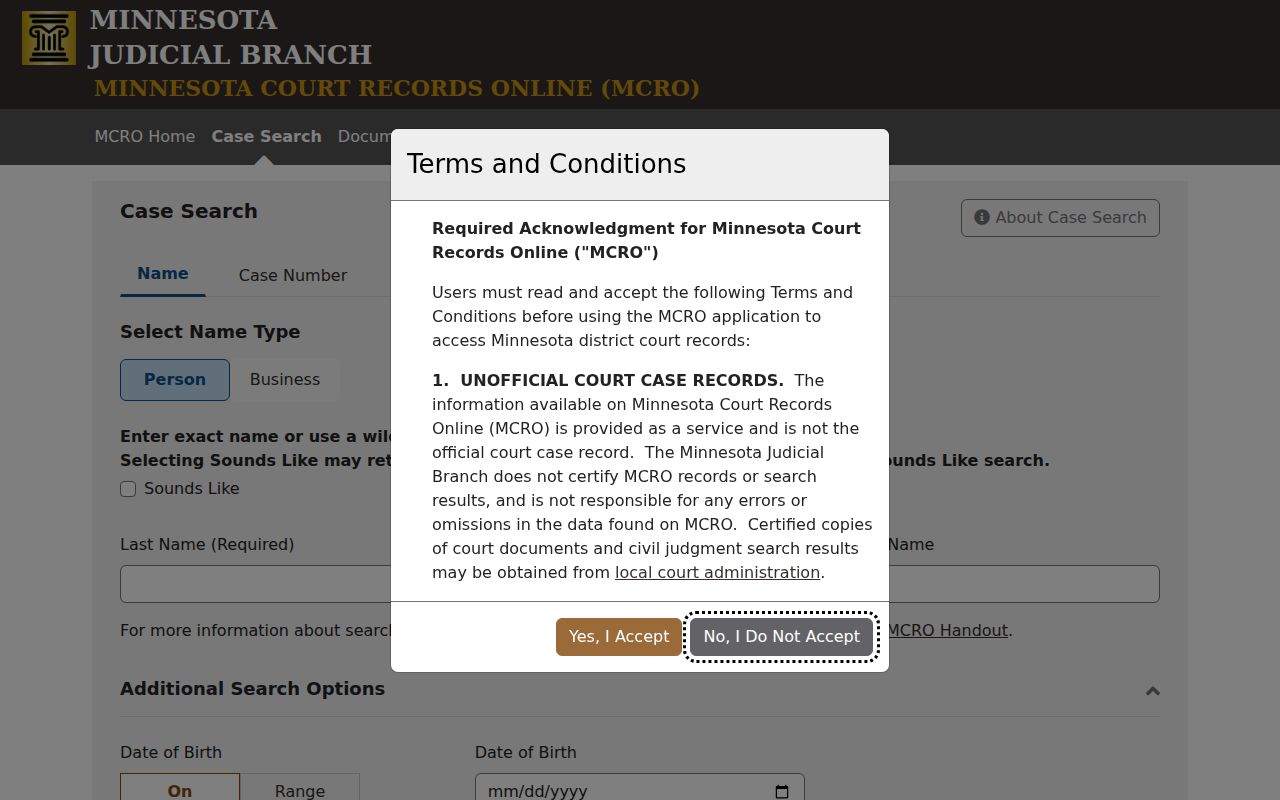
In a McLeod County case search, the county selector and the right tab work together. Using both keeps the docket results focused.
Searching by Case Number
A complete McLeod County case number is the most direct route in MCRO. Type it with or without dashes or leading zeros, just never with spaces. Official guidance is blunt: incomplete case or citation numbers trigger an error. Case Number and Citation Number sit on separate tabs. Anyone holding a full citation should take the citation route instead of treating it as a court file number. McLeod County calendar entries carry 43- prefixes. Common examples are 43-CR for criminal. Others include 43-CV for civil, 43-FA for family, 43-PR for probate, 43-JV for juvenile, and 43-VB for traffic or violations. A prefix helps steer the docket search. It still does not reveal the full record or any outcome.
McLeod County Case Search Numbers
A broad name search can miss a pending criminal, traffic, or petty-misdemeanor matter. Public name-search protections may apply. A complete case number avoids that limitation. It also avoids the risk of mixing up similar names. The number speeds a courthouse-terminal visit, a counter request, or a copy request. That helps when the remote view lacks the needed court record. Keep the number in perspective. It is an identifier, not a conclusion. The category, the active or inactive status, and each docket event still need context. An inactive result is a portal filter status. It is not a finding about how a case ended.
What a Case Search Returns
McLeod County MCRO results can be capped at 200 items and usually display newest first, with an option to reverse that order. A case-result card opens to View Case Details. Public information may include the case number, court location, category and status, filed date, party-role labels, attorney or judicial-officer fields, hearings, Register of Actions entries, document links, and disposition or status data. The Register of Actions is the chronological list of filings, hearings, orders, and other recorded events in the case. It is not automatically the complete official file. A document result card shows the case number, title, and document name. A hearing result lists a hearing type and date. A judgment result leads to judgment details. None of these screen results, nor a document image, counts as a certified record.
| Case Number | The court identifier connecting results, hearings, and the Register of Actions. |
|---|---|
| Court Location | The listed court location, useful for confirming the McLeod County result. |
| Category and Status | Public classification and portal status, not a complete outcome. |
| Filed Date | The public opening or filing date shown for the case. |
| Hearings | Available hearing date, type, location, and connection information. |
| Register of Actions | The dated event list for public filings, orders, and case activity. |
McLeod County Case Search Results
When a McLeod County MCRO search floods you with records, filter rather than guess. The Person screen offers Civil, Criminal, Family, and Probate or Mental Health categories. Status choices run All, Active, and Inactive. Date of Birth and Date Filed each support exact-date and range options. Picking McLeod from the 87-county list helps most. It matters when the name might surface in several Minnesota counties. Sounds Like widens phonetic matching. A trailing wildcard can also broaden a name after at least two characters, such as Jo*. The two cannot be combined. Before concluding a public court record is absent, remove any date or name option that is too narrow. Remember: search filters refine a docket result set. They never change the rules governing remote access.
Statewide vs County Case Search
McLeod County has no separate case-search tool. The statewide layer, MCRO, is the tool. You narrow it down to McLeod County cases. The McLeod County District Court court page names the local court that hears those cases. For anything beyond a screen, District Court Administration is the office to contact. Inspection, a public terminal, paper records, copies, and certification all run through that office. Minnesota eFile and eServe is a different thing entirely. It handles filing and service, not public docket viewing.
| MCRO statewide search | McLeod County District Court Administration |
|---|---|
| Searches public district-court information across Minnesota and can filter to McLeod. | Holds the local court-records counter and practical access path for McLeod files. |
| Shows eligible remote case details, Register of Actions entries, hearings, and documents. | Provides terminal access, local paper-file access where available, and copy or certification routes. |
| Best for a known name, case number, citation, attorney, hearing, or judgment search. | Best when a search is silent, a file is older, fuller access is needed, or certification is required. |
McLeod County Case Search Documents
McLeod County MCRO images are free to view and download. Free does not mean certified, though. Civil and criminal documents from July 1, 2015 onward are the strongest remote category. Qualification runs through the accessible-case-types rules. Family access runs narrower. Some public case types are left out entirely. Older paper or offsite files may never reach the screen. So a missing image proves nothing about whether the record ever existed.
The official MCRO access explanation draws a line. It separates remote access from what you can see at the courthouse. A public terminal inside a district courthouse opens statewide public records. That view can be fuller than anything online. Need formal proof? Ask McLeod County District Court Administration about the certified, exemplified, or ordinary-copy process.
Access and Restricted Cases
Minnesota leans toward openness. Judicial records are presumed open to inspection and copying. Open to the public is not the same as visible from your couch. The rules that control this are in Minnesota General Rules of Practice, Title VIII. Rule 8 covers what can be reached electronically. Rule 4 lists protected categories. Examples include sealed material, medical records, court-services records, judicial work product, and juvenile or closed-proceeding material.
A McLeod County docket search may return nothing for certain cases. Civil Commitment, Domestic Abuse, Harassment, Delinquency Felony 16+, CHIPS, family, probate, and juvenile cases fall in that group. Juvenile files and hearings face extra limits under Minn. Stat. §260B.163. An empty result does not mean expunged, dismissed, or deleted. The case could be restricted. It could be shielded from name searches, outside the remote date range, or sitting in a different court system entirely.
McLeod County Case Search Limits
MCRO is the public McLeod County case search tool. It is not the official record. It cannot certify a document or accept a filing. It also cannot take a fine payment or schedule a hearing. It is not Minnesota eFile and eServe either. That holds even after an electronic filing shows up as a public case event. The MCRO terms spell out these limits. They warn against trusting a name match before you confirm the underlying case.
Hearing dates are searchable too. MCRO Hearing Search lets you look by person, business, case number, judicial officer, attorney, or bar number. Exact or range date fields are available. When a setting matters, check it against the court's daily calendar. Use the local court's current information too. Do not treat a result card as a live courtroom notice.
McLeod County Case Search Fallbacks
When MCRO comes back silent, work the basics first. Type the complete case number, check the county spelling, and clear any filters that narrow too much. Then head to the public terminal at the McLeod County courthouse. Call McLeod County District Court Administration at (320) 864-1281. You can also ask the counter for inspection or a copy. The McLeod court administration directory lists separate case-type and last-name phone routes. Pick the right local line for a court-specific question.
A routine McLeod County record request can also go by mail. Send a letter or the official copy-request form to McLeod County District Court Administration. Include the case number and a record description. Add the certification you want, your contact information, a delivery address, and payment as instructed. Copy requests also run in person or through Minnesota eFile and eServe. But eFile and eServe is a filing and service platform, not a public viewer.
Sealed or confidential records take a different road. A plain docket search will not open them. The official CON100 and CON101 materials are the route. Someone with a basis for access can ask a judge to decide. The packet wants a case and record description. Add the reason or legal basis, contact information, and a signature. Only if the court grants access does a copy request follow.
Local records route. McLeod County District Court Administration is the local custodian for court-file access and certification; MCRO results remain unofficial public information.
McLeod County Case Search Hearings
Hearing Search sits inside MCRO and works by date. You can pull up a hearing with a person, a business, a case number, a judicial officer, or an attorney bar number. Statewide and county filters narrow the results. One caution: the judicial-officer menu sometimes lists the same name more than once, spelled slightly different ways. Pick whichever option the tool gives you instead of guessing at one spelling.
Each result names the hearing type and its date, with a link into the case details. From there you can reach the Register of Actions. Its public entries show the sequence of events behind that setting. For scheduling at the local level, the McLeod County court calendar instructions cover the daily PDF, the courthouse-monitor warning, and how to confirm a setting.